

- Recover native tokens on all supported blockchains
- Recover custom tokens (ERC-20 and other compatible assets) on supported networks
- Recover tokens on unsupported or custom networks by providing your own RPC endpoint
- Recover tokens on Layer 2 networks (Arbitrum, Optimism, Base, and other EVM-compatible rollups)
Prerequisites
Before starting a recovery, have the following information ready:Recovering via the Dashboard
Step 1: Retrieve Transaction Information
If you’re missing any recovery details, look up your transaction hash on the relevant blockchain explorer and note:- The blockchain network used
- The receiving address (your Blockradar address)
- The token contract address (for custom tokens)
- The amount transferred
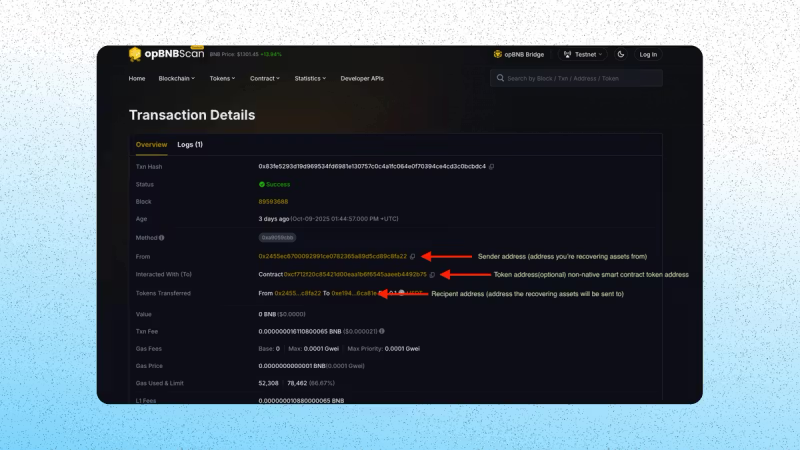
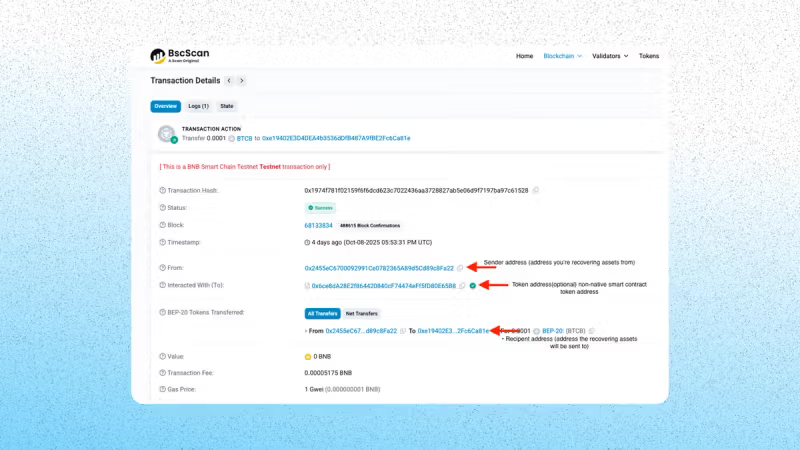
Step 2: Fill in Recovery Details
On your Blockradar dashboard, navigate to Asset Recovery and fill in the required fields. For native tokens: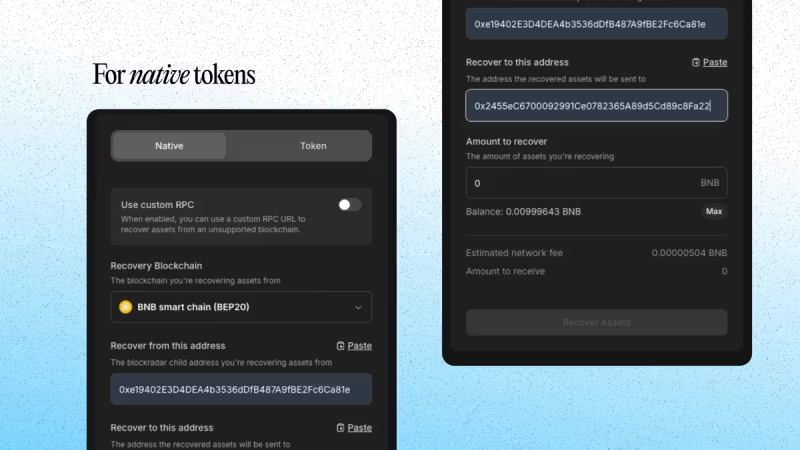
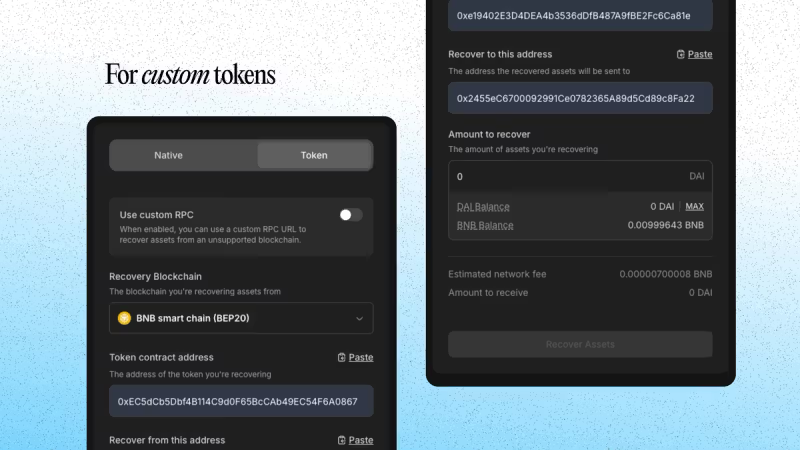
Step 3: Submit Recovery
- Click Recover Assets
- Enter the OTP from your authenticator app
- Confirm the action
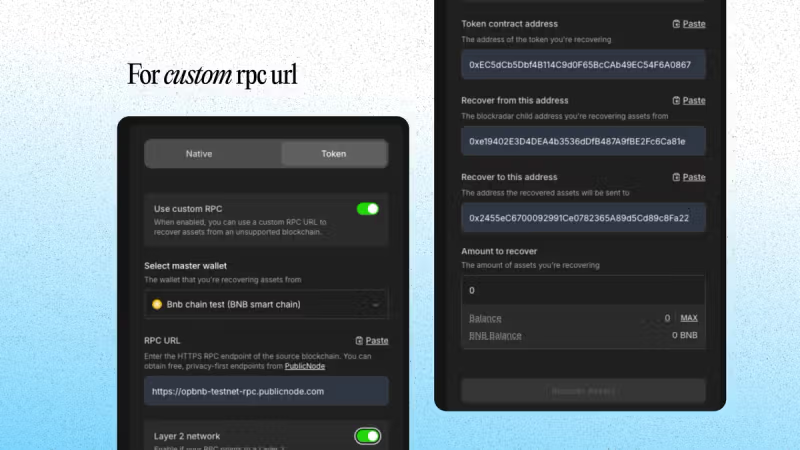
Recovering via a Custom RPC or Layer 2 Chain
If your lost assets exist on a blockchain not officially supported by Blockradar, you can recover them using a custom RPC URL. Additional prerequisites:
Steps:
- Enable Use Custom RPC
- Select the Master Wallet associated with your recovery address
- Paste your RPC URL
- Toggle Layer 2 Network if applicable
- Fill in all other fields as described above
- Click Recover Assets, verify OTP, and confirm
Recovering via the API
You can also recover assets programmatically using the Asset Recovery API — ideal for building custom flows or integrating recovery into backend systems.Required Parameters
Step 1: Estimate the Network Fee
Before initiating recovery, estimate the gas cost:Step 2: Execute the Recovery
After confirming the fee and available balance, initiate the recovery:Step 3: Monitor Recovery Status
Listen for these webhook events to confirm the outcome:Troubleshooting
If you run into issues, check the following:- Wrong wallet ID — make sure you’re using the master wallet ID, not a child address ID
- Missing token contract address — required for all custom (non-native) tokens
- Insufficient gas — ensure your master wallet has enough native token to cover the recovery fee
- Custom RPC issues — verify the RPC URL is a valid HTTPS endpoint and that the L2 toggle matches the chain type
Security Notes
- Blockradar is non-custodial — you control keys and policies
- Every recovery is an on-chain transaction that requires gas on the source chain
- OTP is required for all recovery actions on the dashboard